Hie Drapcode team , am trying to implement components visibility settings in drapcode so that it appears only when the boolean is true otherwise if its false it brings another button . so working around this solution , the visibility settings " eye " icon is not opening on click . can you please assist and confirm is its clickable on your end
Hi @Nigel,
Visibility works from the backend, so that any element which is marked hidden, will not even come on the page html UI. So you cannot show/hide it like you mentioned.
In you case, you can just write some js code to show/hide it via applying and removing the CSS classes such as d-none, etc.
Thanks.
Thank you responding @vishsahu . For the explanation you gave ,i saw a video you uploaded on youtube yesterday but on my usecase am asking for this video use case https://youtu.be/Gk7IiPYRoJM where we gonna show a button based on whether a person is logged in or not , based on role etc …as explained on this video , by the problem on my end is for me to follow the steps guided there , the settings are not clickable . i dont know if there were changes since that video was created
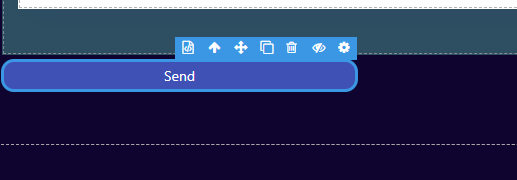
lets say i want to control the visibility settings of based on role , conditions , environment etc . The eye icon which used to open the visibility settings is no longer clickable / opening / or bringing the visibility settings . am not sure which word fits best but if i click on it , its not opening the visibility controlling settings
@vishsahu @alitanwir This issue is still critical and its use cases in my app is increasing , please assist .
Right now i want the ability to show buttons based on the status state and i cant access the settings to control visibility conditions .
Assist team .
To be detailed i want to control visibility to control the button bid , settle or cancel the sell of an asset based on status of an auction
@Nigel This you will have to do with custom Javascript. I am not seeing any ready-made way to do it.
Thanks.
tHAKS @vishsahu , I will look forward to find a solution. As someone who is not into coding , i will come back and ask if it fails to work out on my side
@vishsahu seems like the panel for controlling elements visibility is back into the builder , but this time with no role based visibility control . Is it in timeline anytime soon ?