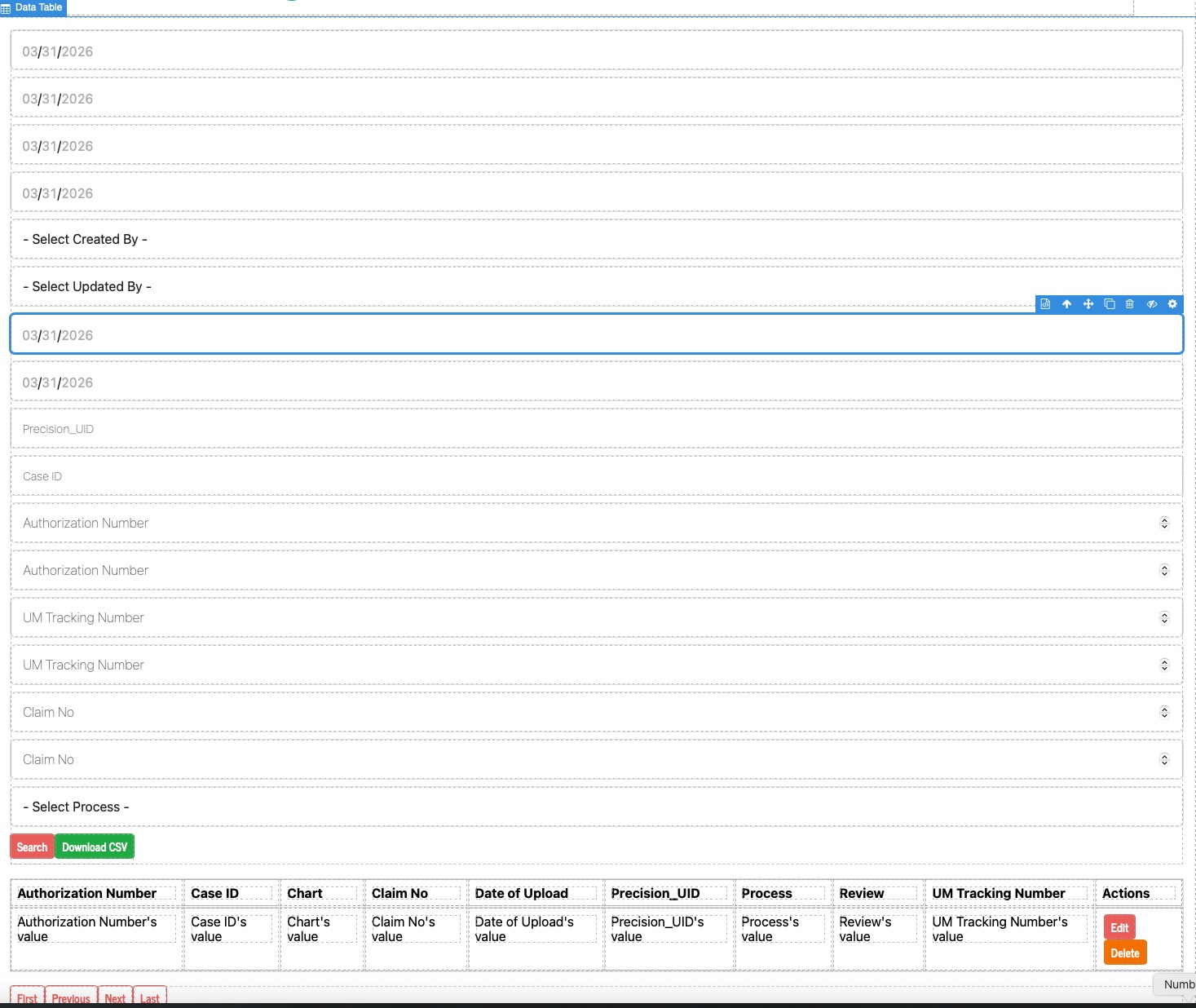
We have a data table when we drag it to a page it shows all of the filters, but there are two filters we are unable to remove Select Created By and Select Updated By unless we delete the entire Data Search Form, is there anyway to hide or get rid of these two fields which should not show. A picture is attached. I can delete the entire data search form but then I cannot filter the data at the bottom, I have no idea why this the case.
Hi @pprecision ,
I tested this on my end and it’s working as expected. Could you please try dragging and dropping the data table again?
Here’s a video showing the Created By and other fields being removed from the Data Search form:
https://www.awesomescreenshot.com/video/51177523?key=06ede0260be17baaebd96a9900948632
Let me know if it still doesn’t work after re-adding the data table.
I have run the same steps and get the same error. I have attached a video, you will notice that the two fields select created by and select updated by are not able to be deleted as other filter are able to. The only way to get rid of it is to delete the entire filter screen which makes it unusable for searching. Any help is appreciated. Attached is a link to a video recording showing what happens as we cannot upload video on this.
Thank You
Precision HealthCare