Hie @vishsahu
Before i try, I would like to know if its possible to create Multi-dependent dropdowns. Here I am looking at a user registering or listing a product’s location e.g. Region (Southern Africa), country (South Africa), state/province (Western Cape), District (Cape Winelands), Town/City (Cape Town), Suburb (Table View) . Can I have all these cascading as user selects each at registration or listing a product? Or is there another better and more efficient approach? I am having a similar challenge when listing agric products where there are livestock types, breeds, classes, ages and so on…
I had watched this video and didnt see a way of adding a third level fourth level and so on, or is it that I didn’t quite understand the process, so was wondering if its possible to make a long string of cascading dropdowns. Not just two items. How do I achieve selecting more than two levels on the same form
Thanks
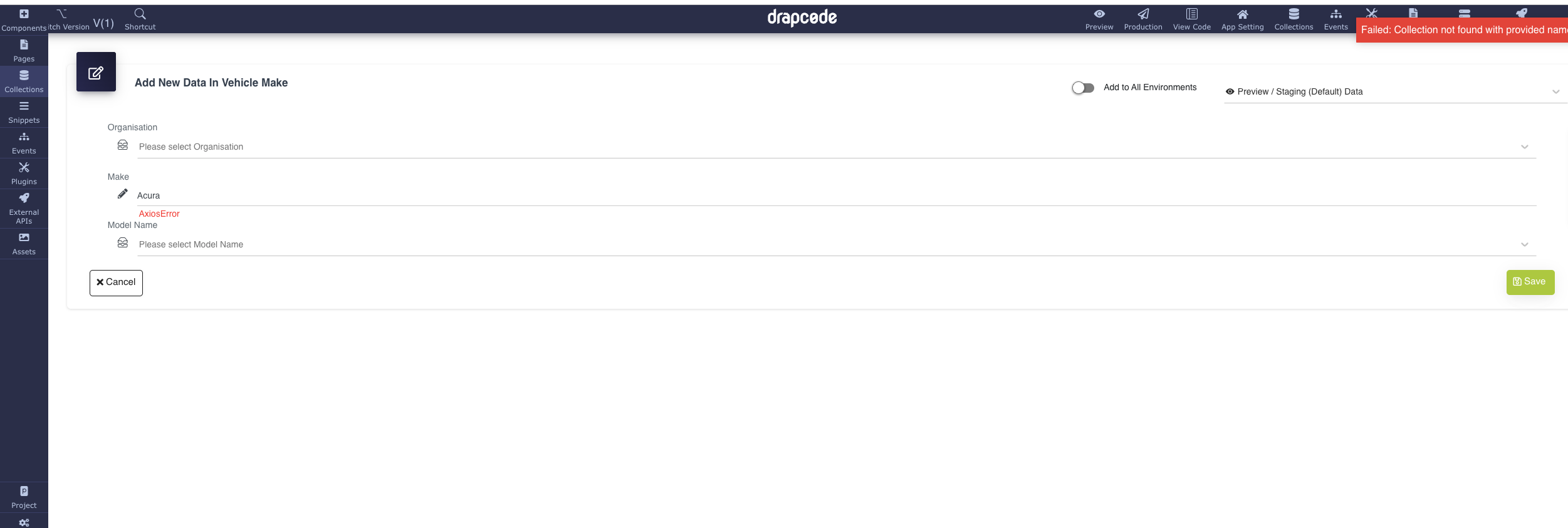
I’m still getting an error when creating the list of the collection…
Not sure why I have an Organization collection by default, maybe it prevents the saving.
Hie @vishsahu
Thank you for that. Yes, @vshukla did indicate in one of his responses and been doing that. What seems to be happening is one environment shows success and the other shows error but when I check for the data, it appears in both environments. When i get a chance, i will record a video to show you what is happening.