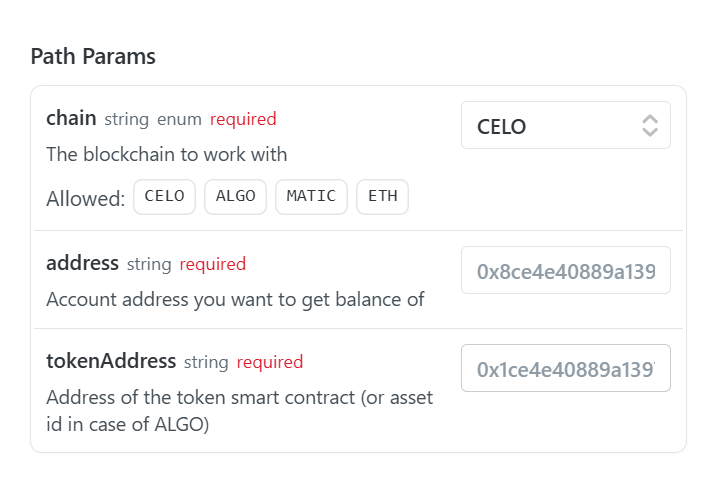
Hie drapcode team . Am trying to send data as path params in dynamic url as following :
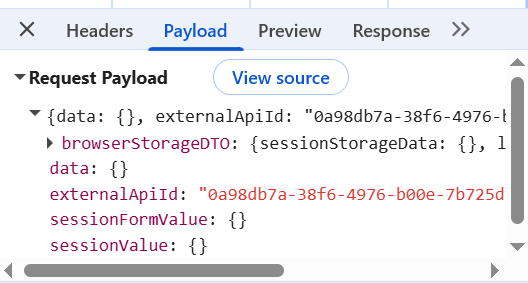
Am getting a bad gateway 502 on my side with the same fields that am passing on postman with 502 bad gateway and its failing to pass the data ( on network inspection its giving empty data and the response is just error from source ) … Is it error in drapcode or am failing to map :
Hello @vishsahu today getting 502 bad gateway again . I also tried passing via xano but its not passing the data . Kindly confirm if its my fault or its external api manager with some error on your end . Thank you
Hi @Nigel - The details you’ve shared aren’t very helpful for identifying the root cause. It’ll be really good if you can share screenshots of the following:
Full screenshot of the working API request and response from the Postman app.
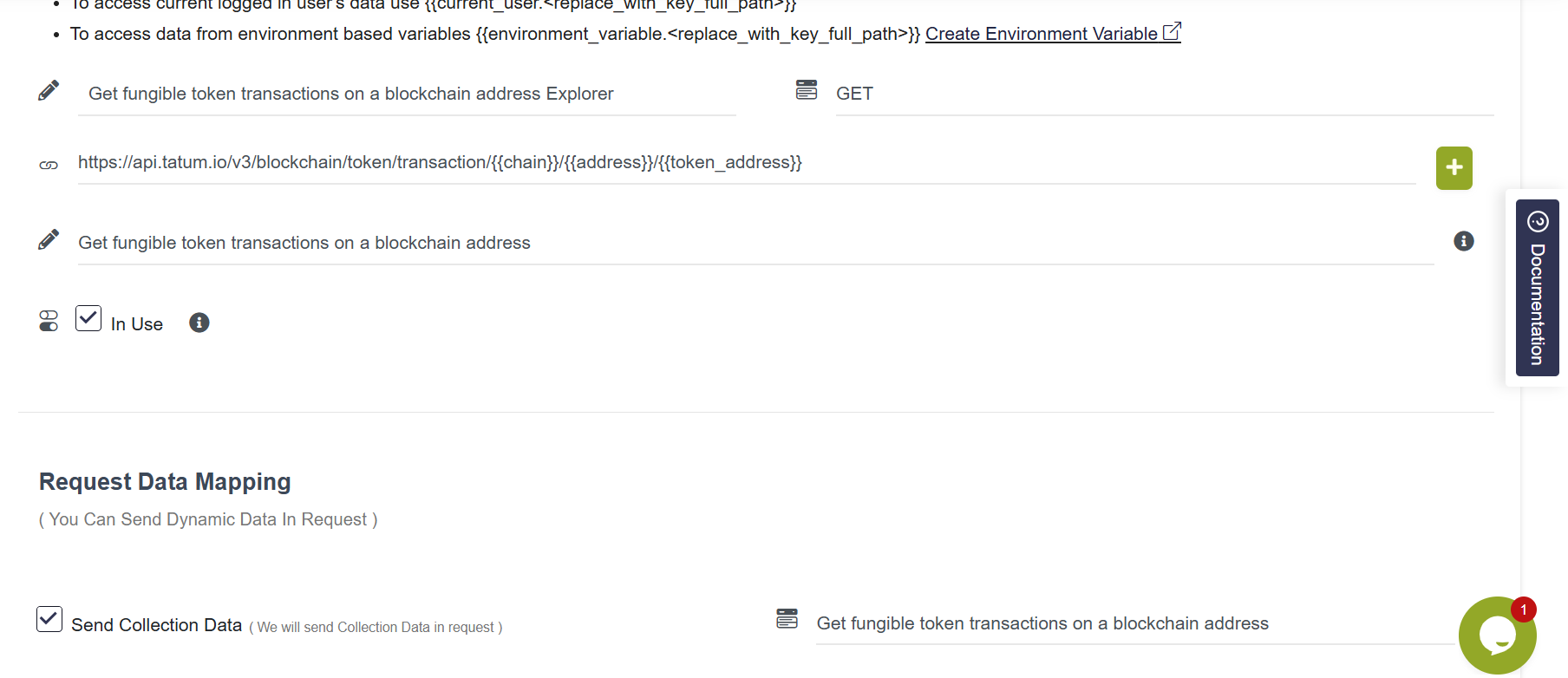
Full screenshot of the External API configuration UI and the event’s action setting from where you’re triggering the External API.
This’ll help us identify what’s missing in the request and causing the issue on your end.
Hi @Nigel - We need more information for debugging. Could you please share a screenshot of where you’re triggering the event in the frontend application?
And, if possible, please create a screen recording of the steps you take on the front end up to the point where you trigger the event that saves the data, calls the External API, and displays the subpage.
In the External API, I can see that you’re passing Custom Fields in the Request Data Mapping, but those fields aren’t visible in the screenshot. Please share a screenshot of the External API configuration as well.
Note: Please attach complete screenshots (including the URL address bar in the web browser); this helps us identify the content quickly.
Could you please enter the correct key values in the Custom Field section and see if it works for you? We noticed a mismatch between the field names you’re passing as URL params and the ones you’re passing from the Custom Field section.
In the REST API FIelds, please add these keys and their respective Collection Fields.
Hi @Nigel - Thanks for sharing the details. I’ll have it checked and get back to you as soon as we have an update.
Also, it seems there’s an issue with the External API configuration in your project only, since the External APIs are working fine in other projects.
Meanwhile, if possible, could you please share the exact details of the APIs you’re trying to call? For example, the test data and test credentials we can use for debugging? That way, we can call the APIs from our end, which will help speed up the debugging process. It would also be best if you could share a screenshot of the Postman app with the same APIs so we can confirm whether anything is missing on our end.
Testnet details you can use for fields
Address :0xf39Fd6e51aad88F6F4ce6aB8827279cffFb92266
tokenaddress: 0x1c7D4B196Cb0C7B01d743Fbc6116a902379C7238
chain : ETH
TESTNET KEY I WILL EXPOSE IT AND THEN REGENERATE NEW ONE AFTER YOU ARE DONE DEBUGGING : t-6a815a99524cb71f9938b578-9c0696fd8fee4ea0a28adb96
Then for POST CALL CONFIGURATION , EVERYTHING WAS FINE LAST WEEK BUT ITS NOW FACING THE SAME CHALLENGE : … hERE IS THE CALL AM TRYING TO MAKE : Deploy a Multi Token smart contract