@Nigel Please share the screenshot of the Event configuration which you’re triggering in the screen recording you’ve shared.
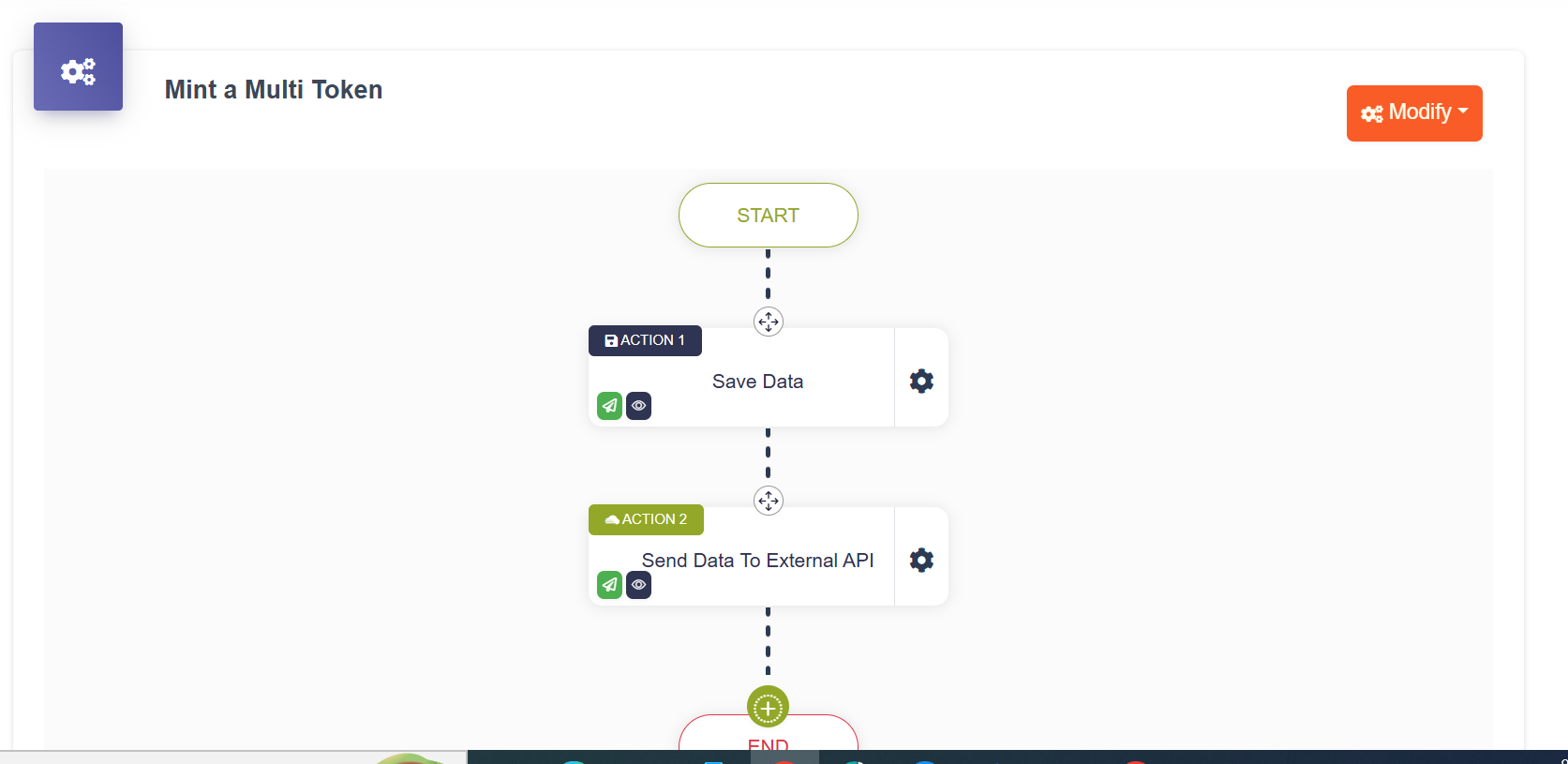
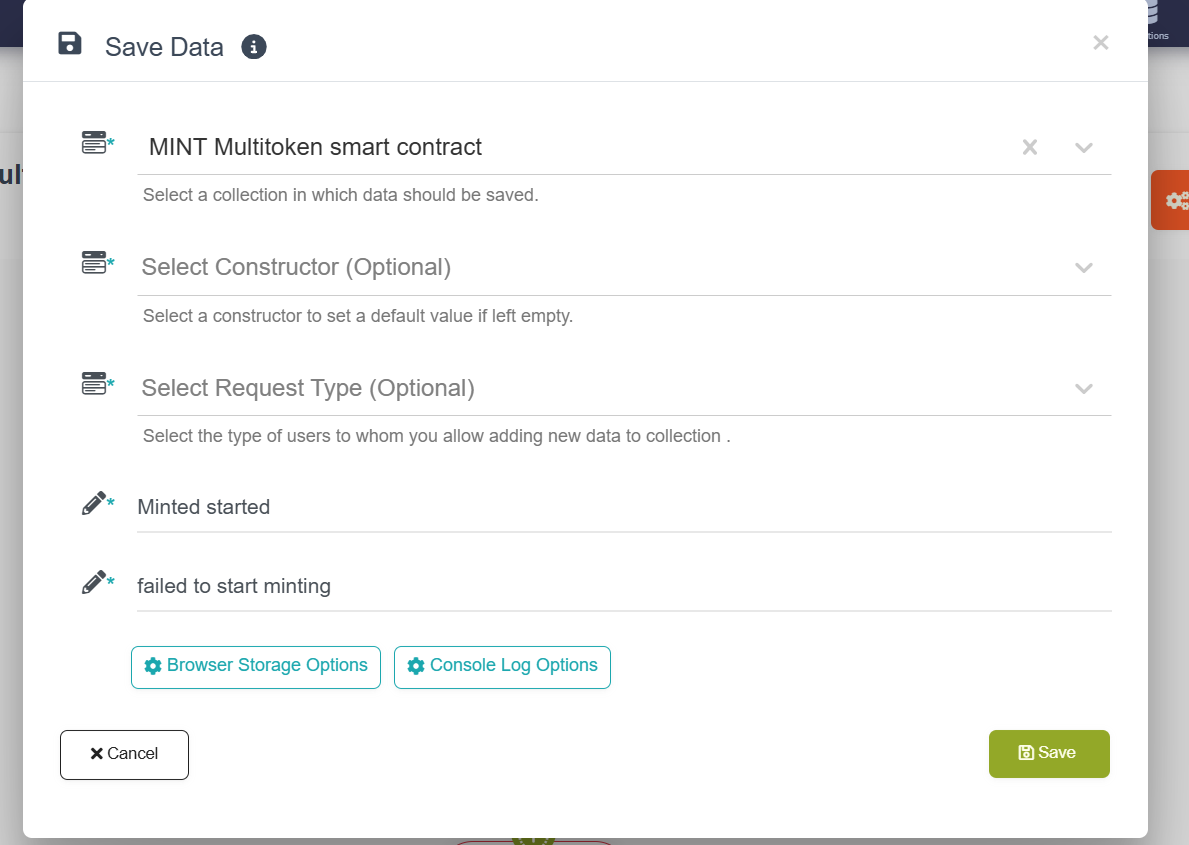
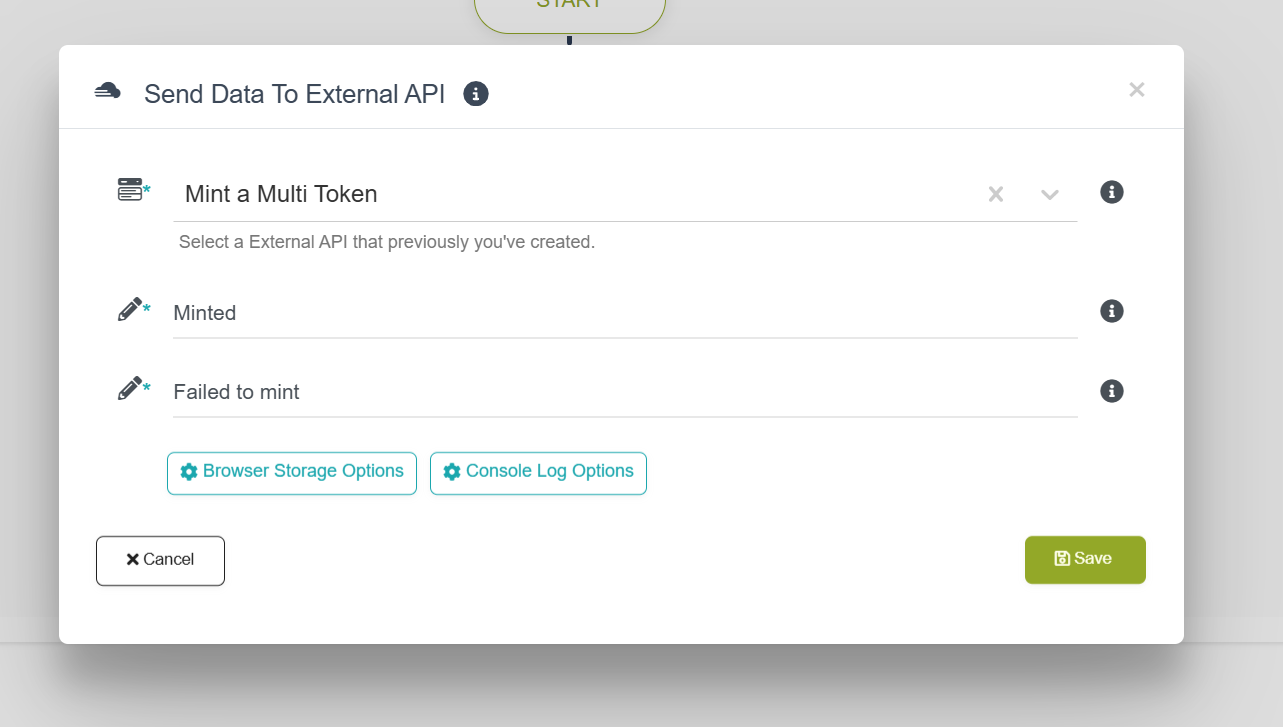
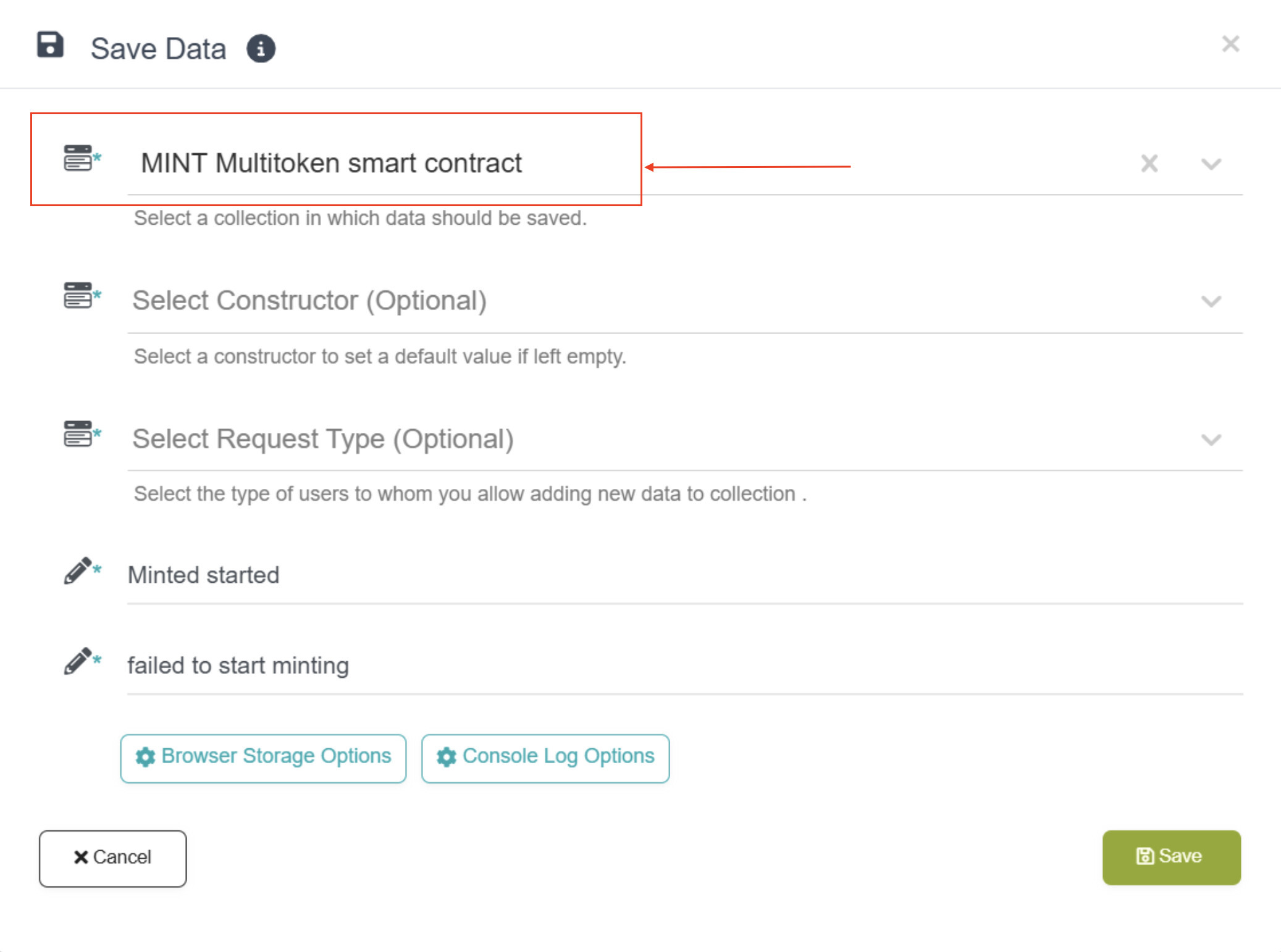
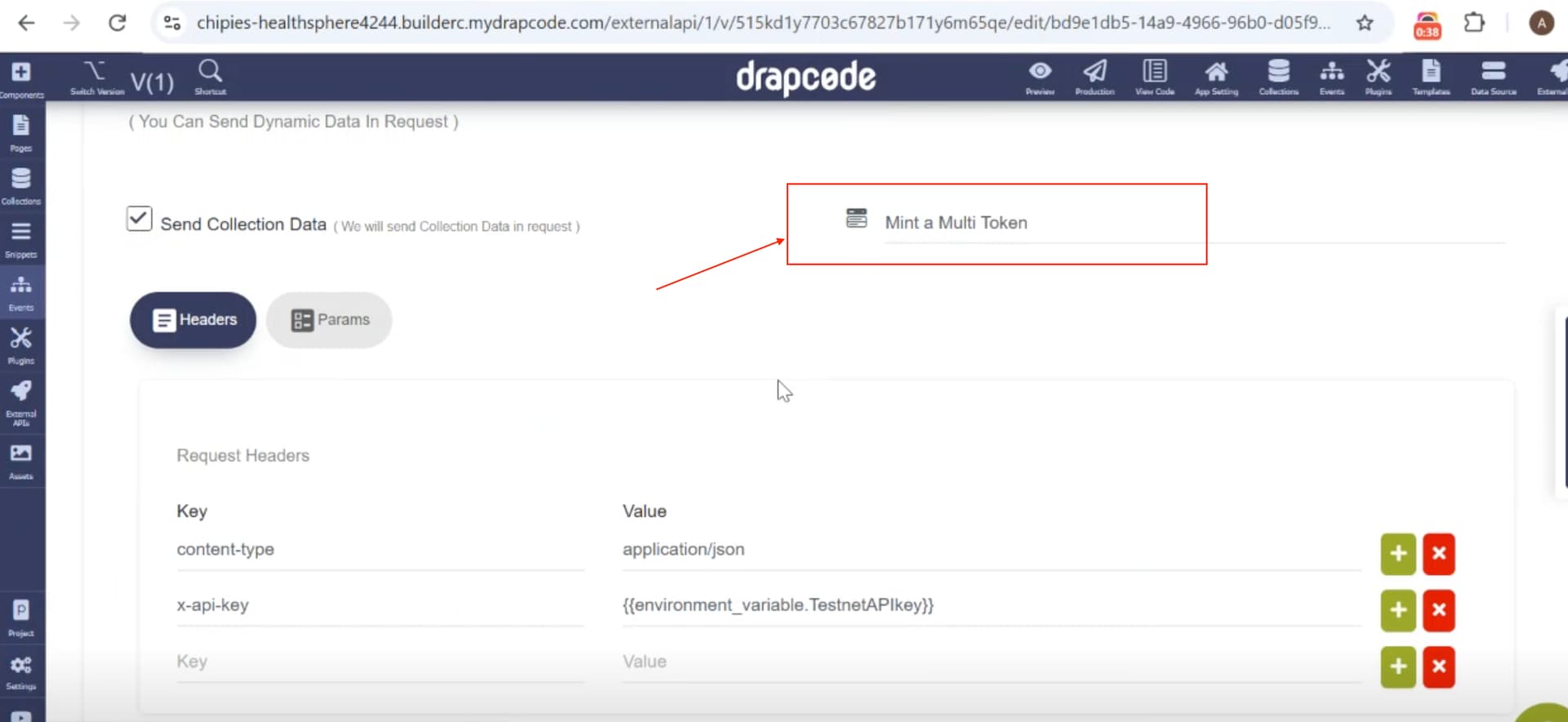
@Nigel, we have noticed that there’s a misconfiguration between the Collection (MINT Multitoken smart contract) used in the Save Data action and the Collection (Mint a Multi Token) used in the request mapping to Send Collection Data in the External API (Mint a Multi Token), due to which you’re getting the “Collection item not found” error message.
Both collections must match to send the correct collection’s item data in the External API request.
Thank you . Now the problem i was facing its done . One thing i left is on result processing . I want to process the resulting signature id on the screen after mint . I tried to add a new subpage to display the result . Am getting 304 error and the resulting signature id not displaying . Help me resolve this and i will learn how to handle on all my other APIs Snippet: Mint cluster contract result subpage | DrapCode | Build Awesome Web Applications
Just found out that the response is being processed if am to save it in collection , but am facing a problem as i try to immediately display the processed result on subpage ,soon after process , resulting in 403 error .So seem like am breaking a specific rule on trying to display the processed result . Can you check if i am setting my subpage external result display correctly . Am sure that what am failing to realize
In addition to processing , i have one more issue with uploading file in multipart/ form data . am trying to uploada file , but its giving a validation error , yet its form data Home @alitanwir
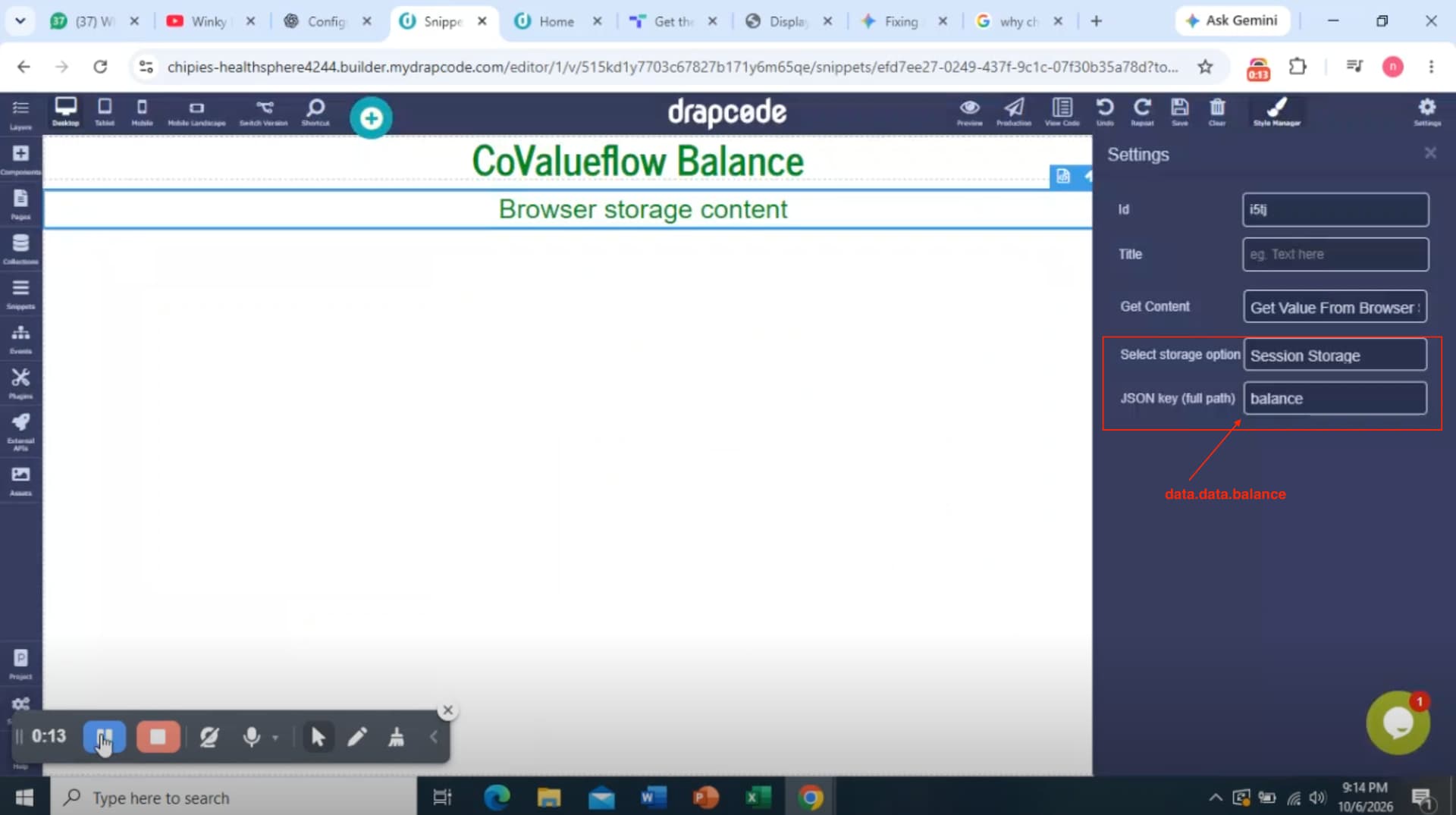
@Nigel - For subpage processing, I suggest storing the External API response in Browser Storage (Session Storage), then rendering the value in the SubPage element from the correct Browser Storage path.
And, regarding uploading a file from the multipart/form data, you’ll need to specify the file element’s name in the External API’s Request Data Mapping params section like -
file: REPLACE_WITH_ELEMENT_NAME
Let me know if that helps you to move forward.
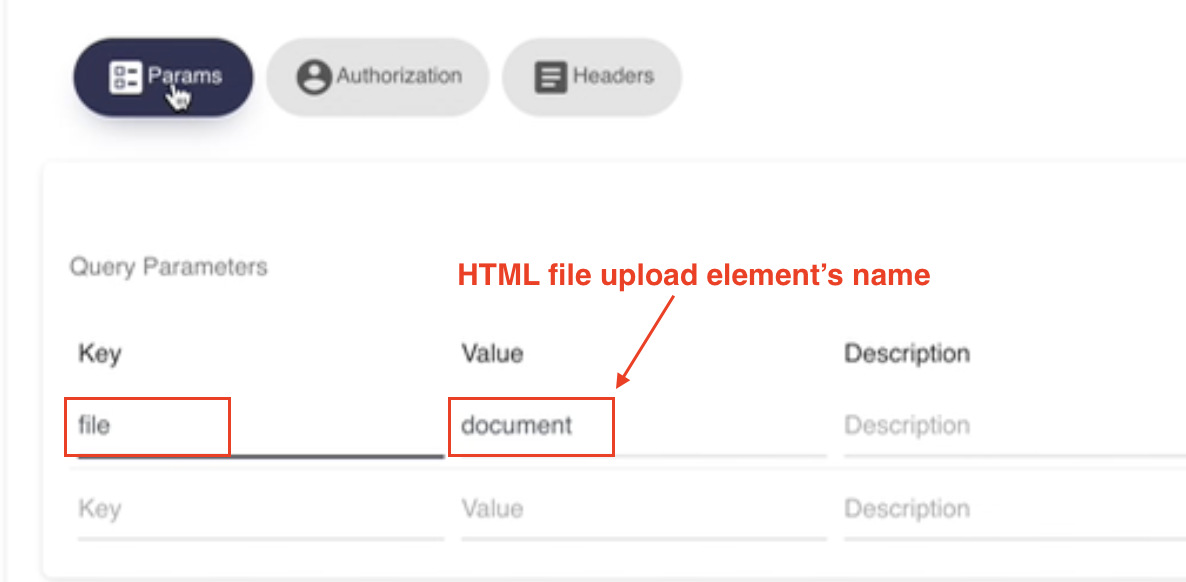
Thank you with your quick response . The image you shared seem to be new and cant see similar functions in the builder .
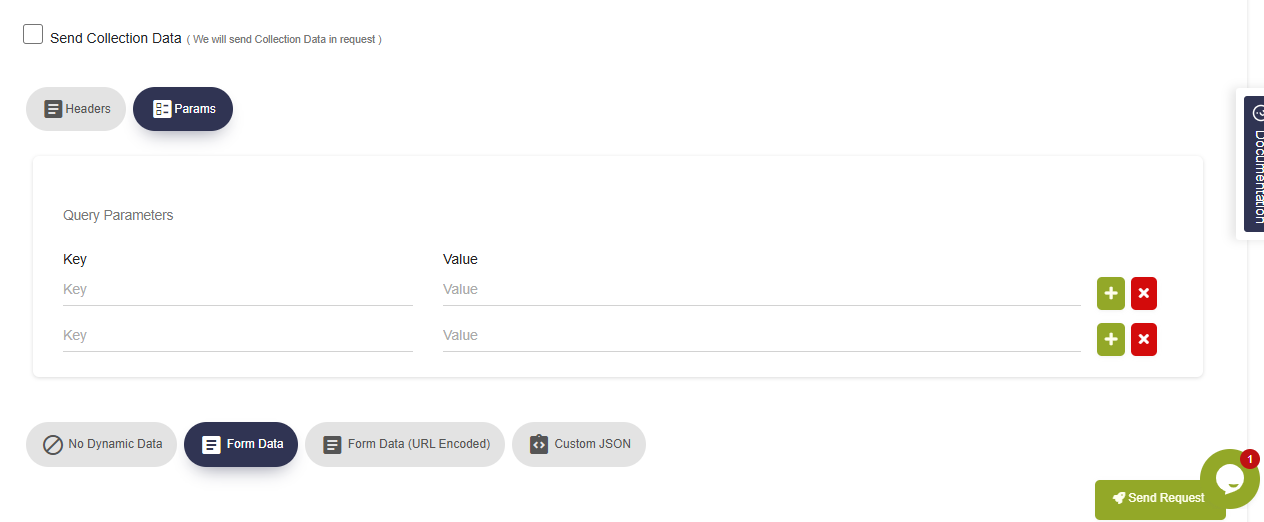
@Nigel - The screenshot I’ve shared was from an older UI version. Please set the Key: Value pair as mentioned earlier in the Query Parameters section in the Params tab.
In this case , should i use form or a collection form ? Since i can only map values through a collection form , or i hardcord the filename if am using just a form to submit data ?
@Nigel - You can use the Form Data option, and in Params, specify the element name just to declare this field as a file object so the External API can process the Form Data with file handling.
Also, DrapCode currently supports sending a file as a JSON object, so please check with the target API whether it supports that. If the target API you’re making a request to doesn’t support a JSON object, then you might have to handle it via Amazon Lambda functions as a mediator processing API, where you’ll have to process the JSON file object and convert it to a multipart file object and send that final request payload from an Amazon Lambda function to the target API.
Helpful. Thank you so much
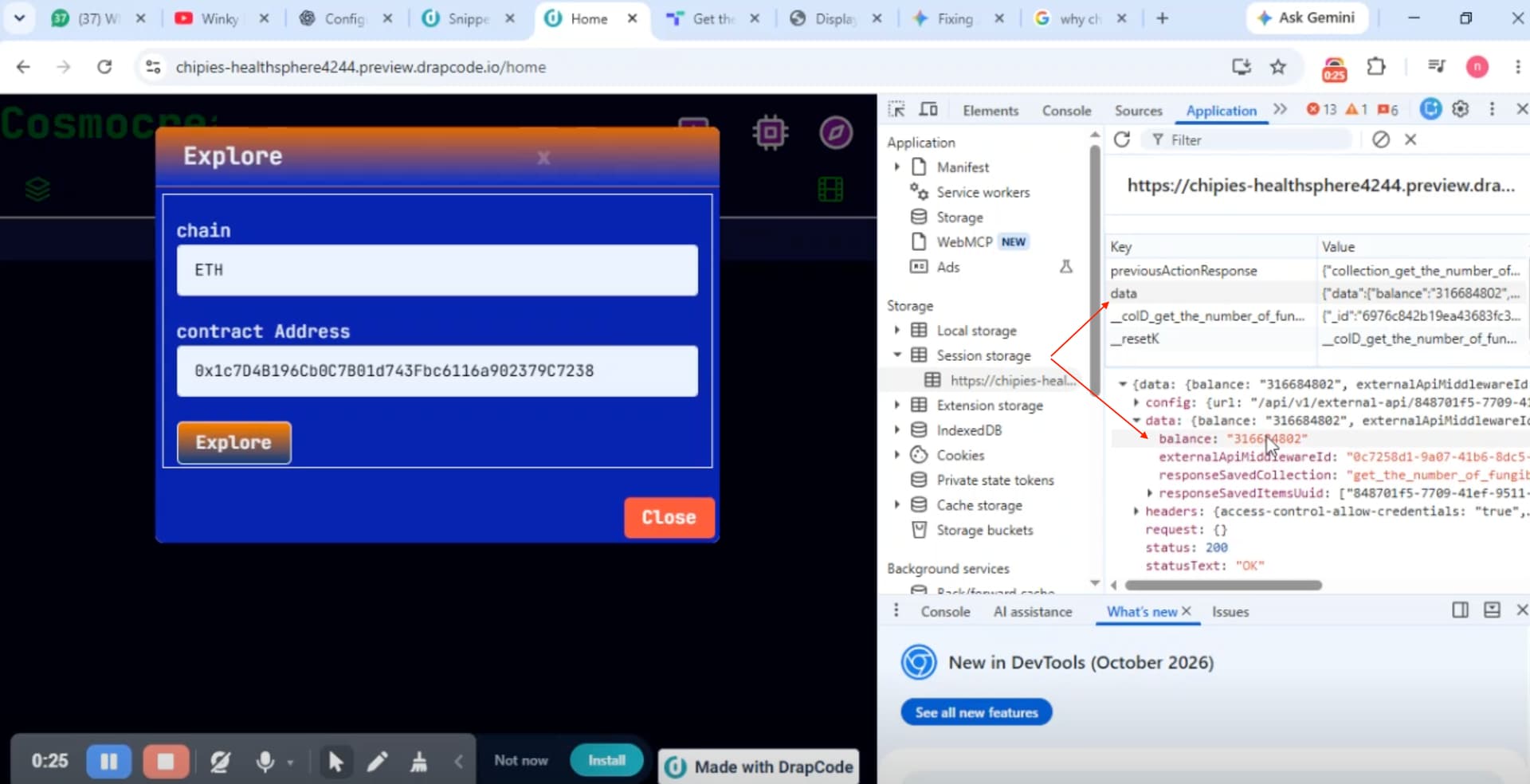
@alitanwir , am failing to display data from session on text component . Watched a video on how to display data from from session storage , but am failing to load the data for display . Please help ,here is a quick screencast i shared : DrapCode | Build Awesome Web Applications
@alitanwir sorry for this quick follow . Am rushing to get into production . Please assist with this pending issue
@Nigel - Thanks for sharing the screen recording. Please update the text component with the correct JSON path; it should be data.data.balance, since you’ve stored the External API response in the Session Storage key named “data”.
Thank you @alitanwir The results were executing and retrieving successfully yesterday. Today, the GET and Query Params APIs are returning 400 errors, despite being unchanged. However, the results are still processing correctly in the browser session. This issue only affects APIs using Params.
screen cast with 3 example params requests : Snippet: Get owners of a token | DrapCode | Build Awesome Web Applications
@alitanwir kindly confirm if they are working well that side as we were about to get this done today
@alitanwir i want to update that I realized the mistake I was making on the above questions . However, I’d like to ask how to display 1) an array of strings and 2) a boolean retrieved from the browser session.
https://www.awesomescreenshot.com/video/57361011?key=1e293b6aa6bea69d142afc74ccdeff06